
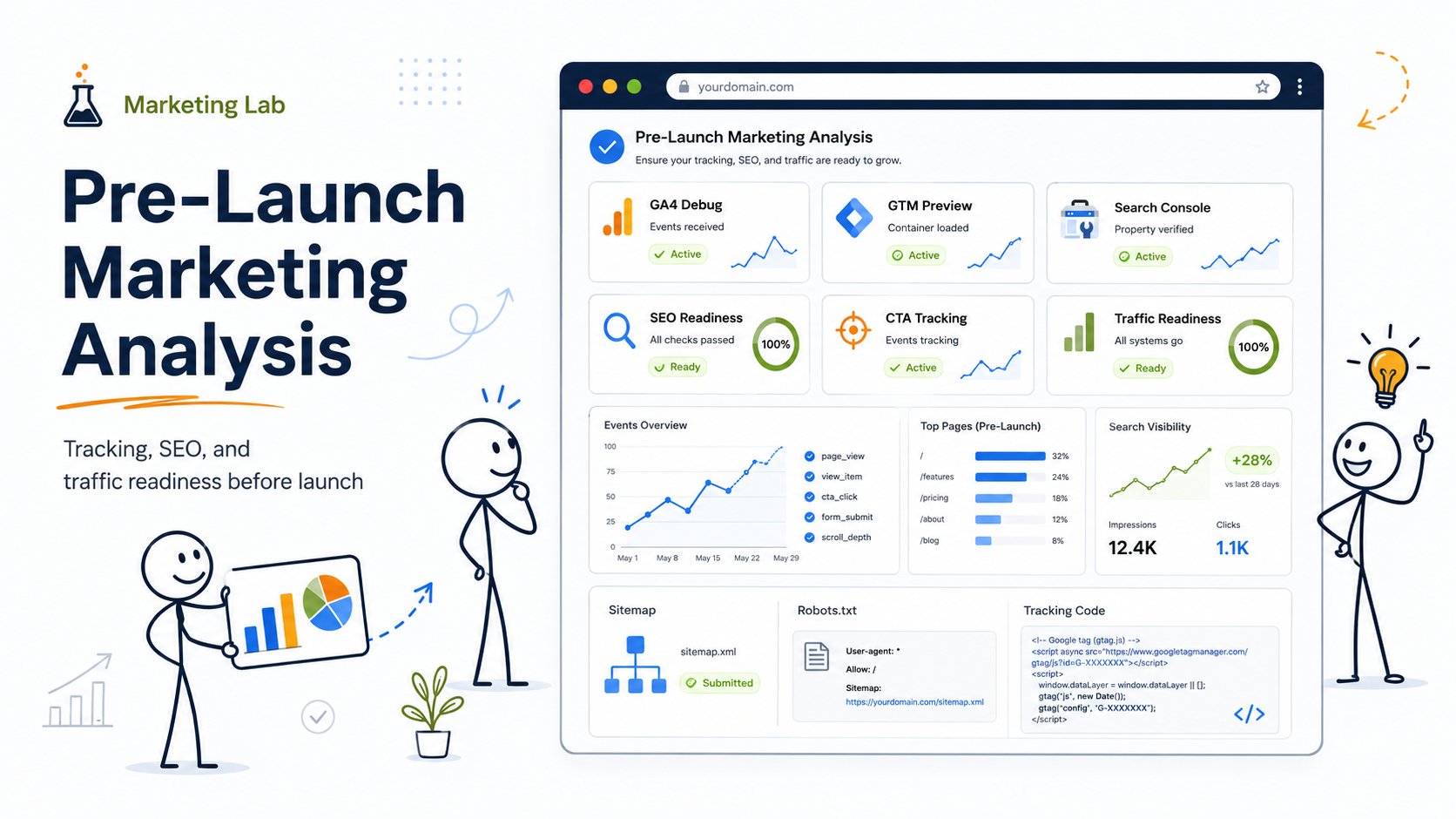
A website can be technically ready and still be completely unprepared for marketing.
I have seen this more than once. The site looks good. The design is approved. The developer has checked responsiveness, speed, forms, SSL, and maybe even basic SEO fields. Everyone feels close to launch.
Then someone asks the uncomfortable question:
Where are we going to analyze whether this website is actually ready to attract, measure, and convert traffic?
That question changes the conversation.
Because pre-launch marketing analysis is not only about checking whether a website exists. It is about checking whether the website can become a measurable marketing asset. Can we track visitors? Can we understand traffic sources? Can we see whether forms are working? Can we verify search visibility signals? Can we test campaign landing pages? Can we identify broken conversion paths before paid traffic or SEO expectations begin?
This is where developers and marketers need to work together.
Developers often control implementation. Marketers often control strategy. But before launch, both sides need shared places where they can analyze signals, validate assumptions, and catch problems early.
What “pre-launch marketing results” really means
Let’s be honest: before a website launches, there are no full marketing results yet.
There is no stable organic traffic history. There are no meaningful conversion trends. There is no long-term SEO performance. There may not even be real users yet.
So when I say pre-launch marketing results, I do not mean final business performance. I mean early validation signals.
These signals can include:
- whether analytics is collecting data correctly
- whether conversion events fire when users complete important actions
- whether Google Tag Manager is triggering tags correctly
- whether Search Console is connected and ready
- whether landing pages match search intent
- whether forms, phone clicks, email clicks, and CTA clicks can be measured
- whether technical SEO basics are visible before indexing
- whether heatmaps or session recordings can capture behavior after launch
- whether paid campaign tracking is ready before ad spend begins
This matters because launch day is not the best time to discover that GA4 is firing twice, forms are not tracked, paid traffic has no conversion signal, or important pages are blocked from indexing.
A launch should not be the first test of the marketing system.
1. Google Tag Manager Preview Mode: where developers test tracking before publishing
For developers, one of the most important pre-launch places to analyze marketing readiness is Google Tag Manager Preview Mode.
This is where you can test whether tags fire correctly before publishing changes. Google explains that GTM’s preview and debug mode lets you browse a site as if the current container draft were deployed, while Tag Assistant shows which tags fired and in what order.
That makes GTM Preview Mode especially useful before launch because it helps answer practical questions like:
Does GA4 fire once, not twice?
Does the contact form submission trigger the correct event?
Does a CTA click send the right event name?
Does the Google Ads conversion tag fire only after a real conversion action?
Are scroll, outbound click, or file download events being captured correctly?
Are tags firing on the right pages and not firing where they should not?
This is not just a developer QA task. It is a marketing QA task.
A developer may check that a form technically submits. A marketer needs to know whether the form submission becomes a measurable conversion. Those are related, but they are not the same thing.
What to analyze in GTM before launch
Before launch, I would check at least these items in GTM Preview Mode:
- page view tracking
- form submission tracking
- phone click tracking
- email click tracking
- main CTA click tracking
- outbound link tracking
- thank-you page or confirmation page tracking
- Google Ads conversion tags, if paid campaigns are planned
- duplicate GA4 firing
- tag firing order
- consent behavior, if consent mode or cookie banners are involved
The most important thing is not to install every possible tag. The most important thing is to make sure the business-critical actions are measured correctly.
For a service business, that may be form submissions and phone clicks.
For an e-commerce site, it may be add-to-cart, checkout, purchase, and revenue events.
For a SaaS or consulting business, it may be demo requests, lead magnets, pricing page clicks, or account signups.
The pre-launch question is simple:
If someone takes a valuable action tomorrow, will we see it correctly?
If the answer is no, the site is not fully marketing-ready.
2. GA4 DebugView: where marketers and developers verify events in real time
After GTM, the next place to analyze pre-launch tracking is GA4 DebugView.
Google’s Analytics documentation says DebugView shows events and user properties collected from a user in real time, which helps troubleshoot while installing tags or testing live activity.
This is very useful during pre-launch testing because GTM can show that a tag fired, while GA4 DebugView helps confirm that GA4 actually received the event.
That distinction matters.
A tag firing in GTM does not automatically mean your analytics reports will be clean, useful, or aligned with your measurement plan. DebugView helps you see the event stream and catch problems before they become reporting problems.
What to analyze in GA4 DebugView before launch
In GA4 DebugView, developers and marketers should check:
- whether page_view events appear correctly
- whether custom events appear with the expected names
- whether important parameters are passed correctly
- whether events are duplicated
- whether form events appear only when the form is actually completed
- whether events are readable and useful for future reporting
- whether conversion-worthy events are ready to be marked as key events
For example, I would rather see a clean event like:
generate_lead
than a messy or unclear event like:
button_click_17_final_NEW_test
Naming matters because analytics is not only data collection. It is communication.
Three months after launch, someone needs to understand what the event means. That person may be a marketer, a business owner, a consultant, an analyst, or the same developer who no longer remembers why the event was named that way.
Pre-launch is the best time to clean this up.
3. Google Analytics 4 Reports: where the launch measurement structure begins
GA4 reports are not very rich before launch, but the setup still matters.
Before launch, GA4 is useful for validating the measurement structure. After launch, it becomes one of the main places to analyze traffic quality, user behavior, and conversion paths.
The mistake I often see is that businesses install GA4 but do not define what they want to learn from it.
They treat analytics like a checkbox.
Installed? Yes.
Connected? Yes.
Useful? Maybe not.
A better pre-launch approach is to ask:
What are the main actions we need to measure?
Which traffic sources will matter first?
What pages are expected to influence conversion?
What events should become key events?
What audiences might be useful later for remarketing or analysis?
What reports will the team actually review after launch?
Developers do not need to own the marketing strategy. But developers can help make sure the technical setup supports the strategy.
That is where the collaboration becomes valuable.
4. Google Search Console: where pre-launch SEO visibility starts
Google Search Console is another essential place to analyze launch readiness.
Search Console is not only for SEO specialists. Developers should care about it too because it shows whether Google can access, index, and understand the site. Google describes Search Console as a place to measure Search traffic and performance, fix issues, and analyze queries, impressions, clicks, and position in Google Search.
Before launch, Search Console can help with:
- property verification
- sitemap submission
- index coverage checks
- page inspection
- crawlability validation
- early indexing signals
- search performance after pages start appearing
- query and page-level visibility later
Google’s Search performance report shows metrics such as search traffic changes, queries, pages, countries, devices, and click-through rate from Google search results.
Of course, before launch you may not have much performance data yet. But you can still prepare the system.
What developers should check in Search Console before launch
Before a website goes live, developers and marketers should check:
- whether the correct domain property is verified
- whether the XML sitemap is accessible
- whether important pages are indexable
- whether staging URLs are blocked or removed
- whether canonical tags point to the correct live URLs
- whether robots.txt is not accidentally blocking important content
- whether noindex tags were removed from launch-ready pages
- whether mobile usability or page experience issues need attention
One of the most expensive launch mistakes is accidentally telling search engines not to index the site.
It sounds basic. It happens.
That is why Search Console belongs in the pre-launch marketing analysis process, not only in post-launch SEO reporting.
5. SEO tools: where teams analyze search demand and competitive visibility
GA4 and GTM tell you whether tracking works. Search Console tells you how Google sees your site once it starts collecting data.
But before launch, you also need a different kind of analysis:
Is there demand for what this website is trying to rank for?
This is where SEO tools come in.
Tools like Semrush, Ahrefs, Moz, SE Ranking, Ubersuggest, Screaming Frog, and others can help analyze keywords, competitors, backlinks, technical issues, and content gaps. The specific tool matters less than the thinking behind it.
Before launch, SEO tools can help answer questions like:
What are people actually searching for?
Which competitors already own visibility?
What pages does the website need to compete?
Are service pages mapped to real search intent?
Are informational articles supporting commercial pages?
Are location pages needed?
Are there technical SEO problems before indexing begins?
This is where developers and marketers sometimes talk past each other.
A developer may build pages based on the menu structure.
A marketer may need pages based on search demand.
A business owner may describe services using internal language that customers never search.
Pre-launch SEO analysis helps align those three realities.
6. Crawling tools: where technical SEO problems become visible
Before launch, I also like using crawling tools.
A crawler helps analyze the website as a system, not just as a collection of individual pages.
Tools like Screaming Frog, Sitebulb, or other SEO crawlers can help identify:
- missing title tags
- duplicate meta descriptions
- broken internal links
- redirect chains
- missing H1 tags
- thin pages
- non-indexable pages
- canonical issues
- image alt text gaps
- status code problems
- orphaned pages
- internal linking weaknesses
This is especially useful before launch because many problems are easier to fix before the site is live, indexed, shared, advertised, or connected to campaigns.
A broken internal link is not a disaster.
A broken internal link across a newly launched site with paid traffic running is a bigger problem.
A noindex tag on a staging page is normal.
A noindex tag left on a final service page after launch is a visibility mistake.
Crawling tools make those issues visible before they become performance issues.
7. Microsoft Clarity or behavior analytics: where teams analyze user behavior after launch
Some marketing results cannot be fully analyzed before launch because they require real users.
This is where behavior analytics tools become useful immediately after launch.
Microsoft Clarity, for example, describes itself as a free user behavior analytics tool that helps you understand how users interact with a website through session replays and heatmaps.
For pre-launch planning, the value is not that Clarity will show meaningful heatmaps before users arrive. The value is that it can be installed and ready so the first real sessions are captured.
That matters because early user behavior can reveal problems analytics alone may not explain.
GA4 might show that users are not converting.
Clarity or another behavior tool may show that users are rage-clicking, missing the CTA, struggling with a form, or scrolling past the important section.
What to analyze with behavior tools after launch
Once real traffic starts coming in, behavior analytics can help analyze:
- whether users see the main CTA
- whether people scroll far enough to reach key content
- whether forms create friction
- whether mobile users behave differently
- whether users click non-clickable elements
- whether landing pages feel confusing
- whether navigation supports or interrupts conversion
This is especially useful for pre-launch marketing planning because it helps the team define what they will observe once traffic begins.
A good launch plan does not stop at “publish the website.”
It includes:
publish → measure → observe → interpret → improve
8. Ad platforms: where paid traffic readiness is analyzed before spend begins
If the business plans to use Google Ads, Meta Ads, LinkedIn Ads, or another paid channel after launch, then ad platform readiness should be part of pre-launch analysis.
This does not mean campaigns need to be running before the site launches.
It means the website must be prepared to receive paid traffic.
Before launch, marketers and developers should check:
- whether conversion tracking is installed
- whether landing pages match campaign intent
- whether UTM parameters are planned
- whether thank-you pages or conversion events are working
- whether lead quality can be evaluated later
- whether remarketing tags or audiences are needed
- whether consent rules are handled correctly
- whether page speed and mobile UX are acceptable for paid traffic
Paid traffic exposes weak websites quickly.
SEO may take time to show problems. Paid campaigns can reveal problems in days or even hours because traffic starts immediately.
That is why I do not like launching ads before tracking is ready. It creates noise, wastes budget, and makes optimization harder than it needs to be.
9. CRM and form systems: where marketing results become business results
One of the biggest gaps in pre-launch marketing analysis is the space between the website and the business.
A form submission is not always a qualified lead.
A phone click is not always a real sales opportunity.
A newsletter signup is not always a future customer.
That is why developers and marketers should also analyze what happens after the website conversion.
Where does the lead go?
Does the form send data to email, CRM, or both?
Are required fields useful or excessive?
Does the business know which source produced the lead?
Can sales or operations report back on lead quality?
Is there a difference between marketing conversions and business outcomes?
This is where website launch tracking becomes more mature.
A basic setup measures form submissions.
A stronger setup connects form submissions to source, campaign, page, and lead quality.
Not every small business needs a complex CRM on day one. But every business should understand where website leads go and how they will be evaluated.
Otherwise, the team may celebrate “conversions” that do not actually help the business.
10. AI search and generative visibility reports: the newer layer to watch
Pre-launch marketing analysis is also changing because search is changing.
Google announced dedicated Search Console reporting for generative AI features in Search, including AI Overviews and AI Mode, in June 2026. Google said this data remains part of overall Search performance while also receiving a separate view for generative AI visibility.
This is important because future website visibility will not only be about traditional blue links.
Businesses will increasingly need to understand:
- whether their content appears in AI-generated search experiences
- whether informational content supports entity understanding
- whether pages answer real questions clearly
- whether the site has enough topical depth
- whether content is structured in a way that both humans and AI systems can understand
For developers, this does not mean “optimize for AI” in a vague way. It means helping create clean, crawlable, structured, fast, accessible websites where content is easy to find, interpret, and connect.
11. A practical pre-launch analysis workflow for developers and marketers
Here is the workflow I would use before launching a marketing-focused website.
Step 1: Validate tracking implementation
Use GTM Preview Mode and GA4 DebugView.
Check whether page views, events, conversions, and tags are firing correctly. Confirm that important actions are tracked once, not twice.
Step 2: Validate search visibility setup
Use Search Console and a crawler.
Check sitemap, robots.txt, indexability, canonicals, metadata, internal links, redirects, and page status codes.
Step 3: Validate keyword and page alignment
Use SEO tools.
Check whether the website structure reflects actual search demand. Make sure important pages are not built only around internal business language.
Step 4: Validate conversion paths
Test forms, CTAs, phone clicks, email clicks, thank-you pages, and CRM routing.
Make sure the business can see not only that a conversion happened, but where it came from.
Step 5: Prepare behavior analysis
Install a behavior analytics tool like Microsoft Clarity or another heatmap/session recording platform if appropriate.
Do this before launch so early traffic can be observed.
Step 6: Prepare paid traffic measurement
If ads are planned, check conversion tracking, UTMs, landing page relevance, and campaign-to-page alignment before spending money.
Step 7: Define the first post-launch review
Pre-launch analysis should lead into a post-launch observation cycle.
For example:
- first 7 days: tracking and technical validation
- first 30 days: indexing, early traffic, user behavior, conversion signals
- first 60–90 days: search visibility, content gaps, campaign performance, lead quality
This prevents the launch from becoming a one-time event.
12. A realistic example: the clean-looking site with no marketing visibility system
Imagine a local service business preparing to launch a new website.
The developer built a clean WordPress site. The pages load well. The design looks modern. The contact form works. The business owner is happy.
But before launch, a marketing review shows several problems:
GA4 is installed directly and also through GTM, causing duplicate tracking.
The contact form sends emails but does not trigger a conversion event.
The sitemap exists, but several important service pages are marked noindex.
The main service page uses branded language instead of search-driven terms.
There is no phone click tracking.
The Google Ads landing page has no dedicated conversion path.
No one has connected Search Console yet.
No heatmap or behavior tool is ready for early observation.
Technically, the site could launch.
Marketing-wise, it is not ready.
The business might still get traffic, but it would not clearly understand where that traffic came from, what users did, what converted, or what needs improvement.
That is the difference between launching a website and launching a measurable marketing asset.
Final takeaway: developers do not need to become marketers, but they do need marketing-ready checkpoints
Developers do not need to own the entire marketing strategy.
But developers play a critical role in whether marketing analysis is possible.
If tracking is broken, marketers work with bad data.
If pages are blocked, SEO starts with visibility problems.
If forms are not measured, conversions become guesses.
If campaign pages are not connected to analytics, paid traffic becomes harder to optimize.
If behavior tools are not ready, early UX signals may be missed.
The best pre-launch process is not “developer finishes, marketer starts.”
It is a shared checkpoint system.
Developers make sure the site can be measured.
Marketers make sure the right things are being measured.
Business owners make sure those measurements connect to real outcomes.
That is where pre-launch marketing analysis becomes valuable.
Not because it predicts everything.
Because it prevents avoidable blindness.