
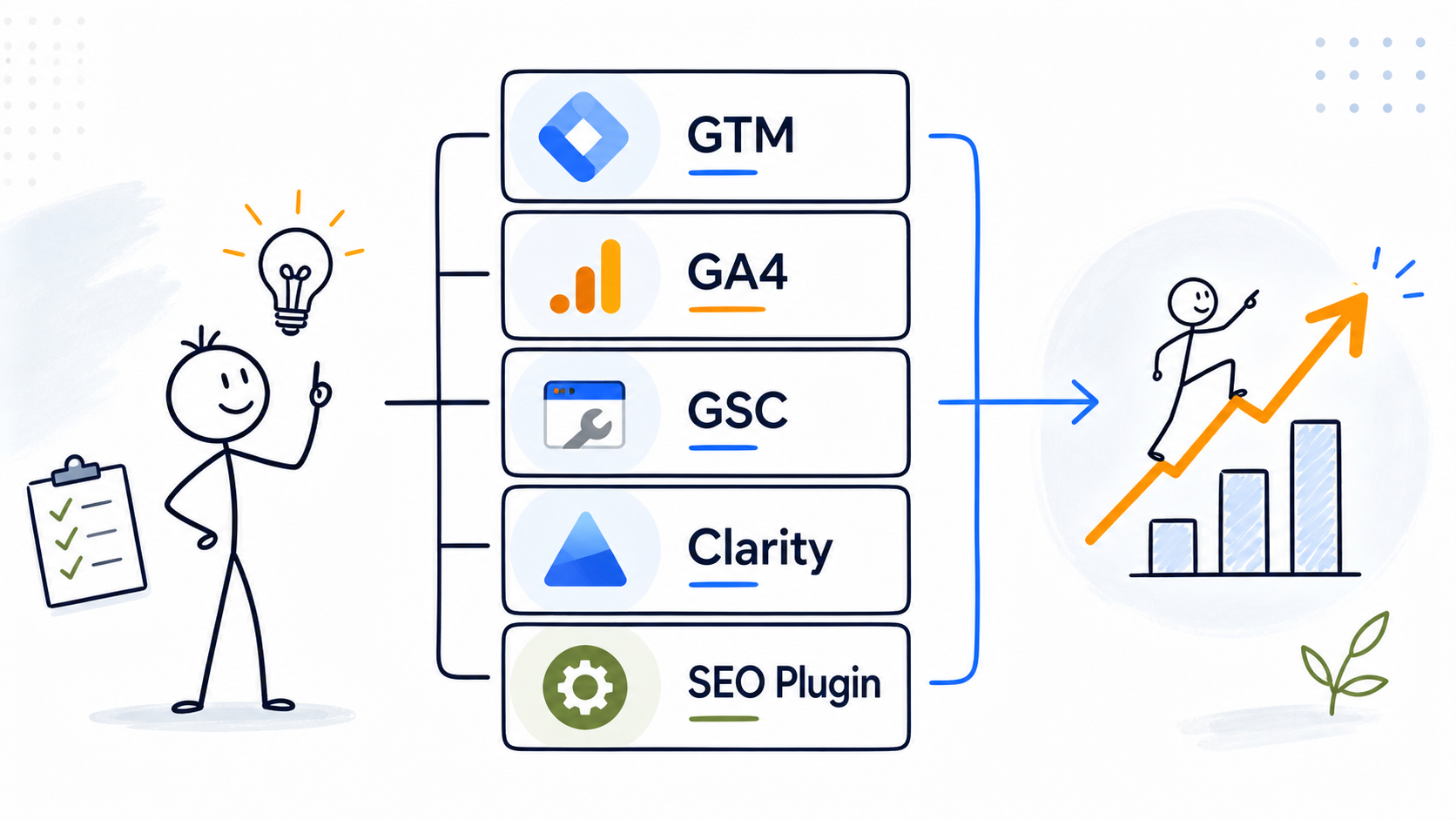
Tools I Would Set Up First
When I think about a new marketing website, I do not start with “What tools can we install?”
I start with a more useful question:
What decisions will this website need to support?
That question changes the whole conversation.
A new marketing website does not need every SEO platform, heatmap tool, automation system, CRM integration, dashboard, chatbot, pop-up plugin, and reporting layer on day one. That usually creates more noise than clarity.
But it also should not launch blind.
A serious marketing website needs a basic stack that helps you understand three things:
- Can people find the website?
- What do they do after they arrive?
- What should be improved next?
That is the purpose of a basic marketing website stack. Not to look impressive. Not to collect dashboards. Not to install tools because someone on LinkedIn said they are “must-have.”
The stack should help the website become measurable, searchable, maintainable, and ready for growth.
In this article, I want to walk through the basic stack I would set up first for a new marketing website — especially a WordPress-based marketing site, service business website, expert blog, consultant site, or early-stage content project.
This is close to how I think about Web Idea US – Marketing Lab itself: build the foundation, publish useful content, observe real signals, and improve the system based on evidence rather than assumptions.
What I Mean by a Basic Marketing Website Stack
A basic marketing website stack is the small group of tools and systems that support the website’s marketing function.
For me, that usually includes:
- a CMS or website platform
- a tag management layer
- analytics
- search visibility monitoring
- performance testing
- behavior analytics
- content and keyword planning
- basic design and publishing workflow
That is enough for the early stage.
Not forever. Just first.
The goal is not to build the most advanced stack. The goal is to avoid launching a website that cannot be measured, cannot be diagnosed, and cannot teach you anything.
I have seen businesses spend heavily on design, branding, and development, then realize after launch that nobody knows which pages are getting traffic, which queries are triggering impressions, whether leads are being tracked properly, or why users leave before taking action.
That is an expensive place to start fixing things.
A basic stack prevents that.
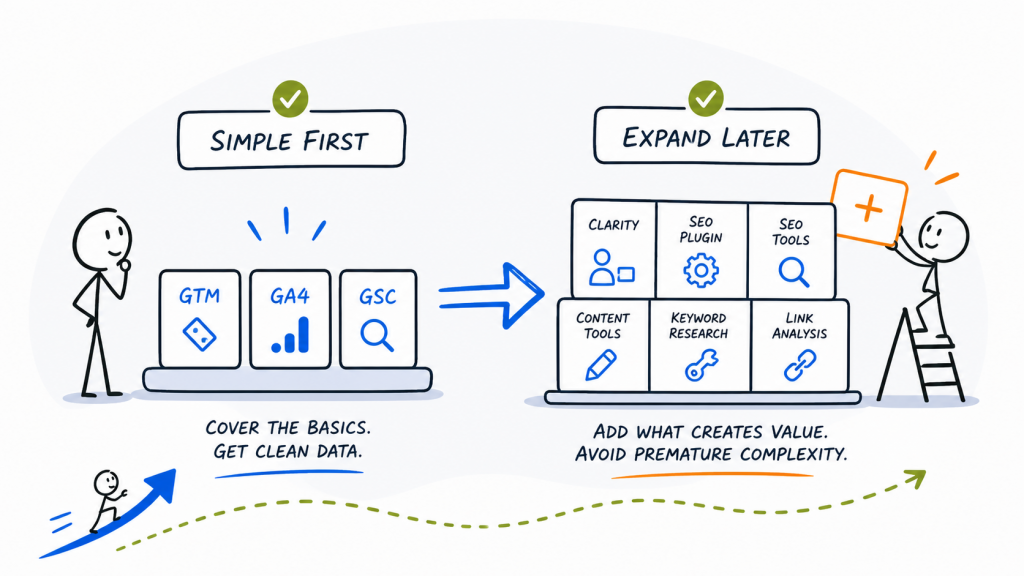
My Stack Philosophy: Simple First, Expand Later
For a new marketing website, I prefer a stack that is:
Learn enough to manage.
If the business owner or small marketing team cannot understand the setup, it will probably not be used properly.
Strong enough to measure.
The website should not depend on feelings. At minimum, I want search data, traffic data, event data, and performance signals.
Flexible enough to grow.
The stack should allow future conversion tracking, paid traffic, content reporting, SEO experiments, affiliate tracking, and lead-generation measurement.
Not overloaded too early.
A new site with ten articles and almost no traffic does not need enterprise SEO workflows. It needs structure, consistency, tracking, and visibility signals.
This matters because tools do not create strategy by themselves. They only reveal, support, or organize the strategy you already have.
1. Website Platform: WordPress as the Practical Base
For most content-driven marketing websites, I still like WordPress as a practical base.
Not because it is perfect. It is not.
WordPress can become messy if plugins are added without discipline. Themes can be bloated. Performance can suffer. Security and maintenance matter.
But for a marketing website that needs content, SEO flexibility, publishing control, category structure, internal linking, landing pages, and future monetization options, WordPress remains very practical.
For a new marketing site, I want the platform to support:
- clean article publishing
- category organization
- SEO metadata control
- internal linking
- schema support through plugins or theme functionality
- easy integration with analytics and tags
- resource pages
- future affiliate or product pages
For Web Idea US – Marketing Lab, the current site is built on WordPress, with a structured category system around Experiments, Case Studies, Tools & Reviews, Build in Public, and Resources. That kind of structure is exactly why the platform matters. The CMS is not just where articles live. It becomes part of the visibility architecture.
My recommendation is simple: choose a platform that lets you publish and improve without needing a developer for every small marketing decision.
For many marketing websites, that still means WordPress.
2. Theme and Site Structure: Design Should Support Content, Not Fight It
The next part of the stack is the theme or design system.
This is where many new websites become too focused on appearance and not focused enough on function.
A marketing website does need to look credible. But the theme should also support:
- readable articles
- strong headings
- fast page loading
- mobile usability
- clean navigation
- featured images
- category pages
- internal links
- author credibility
- resource pages
For a content-driven website, I care less about animation and more about clarity.
Can a user understand what the site is about within a few seconds?
Can Google and AI discovery systems understand the topical structure?
Can the site support a growing content base without becoming confusing?
Can a new reader move from one article to another naturally?
That is why I think of design as part of the marketing stack. It is not only visual. It affects readability, trust, crawlability, and conversion behavior.
For a new marketing website, I would avoid overbuilding the design before the content base exists. Build something clean, branded, and flexible. Then improve it as real content and user behavior show what matters.
3. Google Tag Manager: The Tracking Control Layer
If I had to choose one setup decision that makes future marketing work easier, I would set up Google Tag Manager early.
Google Tag Manager is a tag management system that lets you configure and deploy tags on a website through a web interface instead of manually editing code each time. Google’s documentation also notes that GTM can help troubleshoot configuration errors and modify deployed tags.
That matters because a marketing website usually grows into more tracking needs over time.
At first, you may only need Google Analytics 4.
Later, you may want to track:
- CTA clicks
- form submissions
- outbound clicks
- scroll depth
- affiliate clicks
- file downloads
- thank-you page views
- newsletter signups
- paid ad conversions
- remarketing tags
Without a tag management layer, every new tracking need can become a small technical project. With GTM, the website has a cleaner structure: the site loads GTM, and GTM manages the marketing tags.
For a new marketing website, I would not create an overly complex GTM setup immediately. I would start with a clean container, connect GA4 properly, test that it fires once, and keep the structure ready for future events.
The key is not sophistication. The key is control.
4. Google Analytics 4: The Behavioral Measurement Layer
Google Analytics 4 is the basic analytics layer I would set up for almost every marketing website.
GA4 collects data from websites and apps and creates reports that help you monitor traffic, investigate user behavior, and understand user activity.
For a new website, I would use GA4 to understand:
- where users come from
- which pages they visit
- which channels start showing activity
- whether engagement is improving
- which content begins to attract attention
- whether key actions are happening
- how returning users behave over time
But I would be careful with interpretation.
Early GA4 data can be thin. A new website might have low traffic, unstable patterns, and too little data to make strong conclusions. That does not mean GA4 is useless. It means the tool should be used with the right level of humility.
At the beginning, I use GA4 more for direction than certainty.
For example, if one article starts receiving more engaged visits than others, that may suggest a stronger topic, better search fit, or a more relevant traffic source. But I would not rebuild the entire strategy based on one week of early data.
GA4 helps you observe behavior. It does not replace judgment.
5. Google Search Console: The Search Visibility Layer
Google Search Console is non-negotiable for a new marketing website.
If GA4 shows what happens after people arrive, Search Console helps show how the website appears in Google Search before the click.
Google describes Search Console as a tool for measuring Search traffic and performance, fixing issues, and improving how a site appears in Google Search results. Its Performance report shows metrics such as search traffic, queries, clicks, impressions, and position, which can help improve SEO efforts.
For a new marketing website, Search Console is where I watch:
- whether pages are being indexed
- which queries start triggering impressions
- which articles appear in early search testing
- whether clicks are coming from expected or unexpected terms
- whether Google understands the site topics
- which pages need better titles, headings, or internal links
The Page indexing report is also useful because it shows the indexing status of URLs that Google knows about in the property.
This is especially important in the early stage. A new website may not receive much traffic yet, but impressions can show that Google is testing the site. That is a valuable signal.
For Web Idea US – Marketing Lab, early indexing and impressions are part of the project’s live observation layer. The site is not just publishing content; it is watching how visibility develops in real conditions.
That is exactly how Search Console should be used: not as a vanity dashboard, but as a visibility diagnostic tool.
6. Site Kit by Google: Useful for WordPress, But Not a Replacement for Native Tools
For WordPress sites, Site Kit by Google can be useful, especially for business owners who want quick access to Google data inside the WordPress dashboard.
Site Kit is Google’s official WordPress plugin for insights about how people find and use a site, and it connects data from Google tools inside WordPress. Google’s own Site Kit site describes it as a way to access insights about how people find and use content directly in the WordPress dashboard.
I see Site Kit as a convenience layer.
It can be useful for quick checks, especially when you do not want to open multiple platforms every time. But I would not rely on it as the only source of truth.
For serious analysis, I still prefer going directly into:
- Google Search Console
- Google Analytics 4
- Google Tag Manager
- PageSpeed Insights
Site Kit is helpful. It is not the full strategy.
7. PageSpeed Insights: The Performance Reality Check
A new marketing website should not ignore performance.
That does not mean every new site needs advanced technical optimization immediately. But it does mean the site should not be painfully slow, especially on mobile.
PageSpeed Insights reports on the user experience of a page on mobile and desktop and provides suggestions for improvement.
For a basic marketing website stack, I use PageSpeed Insights as a reality check.
I want to know:
- whether the page is slow on mobile
- whether images are too heavy
- whether scripts are creating problems
- whether the theme or plugins are adding unnecessary weight
- whether performance issues might affect user experience
The important thing is not to chase perfect scores too early.
A new website should be fast enough, stable enough, and clean enough. Later, when traffic grows and key pages become more valuable, deeper performance optimization becomes more important.
This is another place where judgment matters. A score is not a strategy. But a poor performance pattern can reveal a real business problem.
8. Microsoft Clarity: Behavior Analytics Without Early Budget Pressure
For behavior analytics, Microsoft Clarity is one of the first tools I would consider adding.
Clarity is a free behavior analytics tool that includes heatmaps and session recordings to help understand how users interact with a website.
For a new marketing website, this can be very useful because GA4 and Search Console tell you a lot, but they do not show the page experience in the same visual way.
With Clarity, you can observe things like:
- where users scroll
- what they click
- whether they ignore important sections
- whether page layouts create confusion
- whether users behave differently than expected
I would not install Clarity just to watch random recordings for entertainment. That is not analysis.
I would use it for specific questions:
- Are users reaching the CTA?
- Are they clicking elements that are not clickable?
- Are they abandoning the page before the main explanation?
- Are long articles still being read deeply?
- Are mobile users struggling with layout?
For a new website, that kind of behavioral context can be very helpful. It gives you a different kind of signal than search or traffic data.
9. SEO Plugin: One Clean Plugin, Not Five Competing Tools
For WordPress websites, I would usually install one SEO plugin.
Not three. Not five. One.
The role of the SEO plugin is to help manage:
- SEO titles
- meta descriptions
- canonical settings
- XML sitemaps
- schema options
- robots settings
- basic page-level SEO checks
I am intentionally not naming one “winner” here because the best choice depends on preference, site setup, and workflow. Yoast, Rank Math, SEOPress, and other SEO plugins can all be reasonable choices in the right context.
What matters more than the brand is the discipline.
Do not install multiple SEO plugins that overlap with each other. Do not turn on every feature without understanding it. Do not let plugin suggestions replace real search intent analysis.
An SEO plugin can help with implementation. It cannot decide the strategy.
For a new marketing website, I would use the plugin to support clean publishing, not to turn every article into a checklist exercise.
10. Content Planning: A Spreadsheet Is Still Part of the Stack
Not every important tool has to be software with a login screen.
For a new marketing website, I still want a simple content planning sheet.
That sheet should track:
- article title
- primary keyword
- secondary keywords
- category
- search intent
- internal links
- status
- publish date
- Search Console notes
- update notes
This sounds basic because it is basic. But basic does not mean weak.
A content planning sheet helps prevent random publishing. It keeps the site architecture visible. It helps you see whether you are building topical depth or just collecting disconnected articles.
For Web Idea US – Marketing Lab, this matters because the site is not a generic blog. The categories have different roles: Experiments for observations, Case Studies for cause-and-effect logic, Tools & Reviews for practical stack and tool articles, Build in Public for project evolution, and Resources for reusable reference assets.
A simple planning sheet helps protect that structure.
11. Design and Visual Workflow: Keep It Branded and Repeatable
For a marketing website, visuals matter, but they should not become a bottleneck.
I would set up a repeatable visual workflow for:
- featured images
- social sharing previews
- article graphics
- resource thumbnails
- branded templates
The goal is consistency.
A new website does not need custom illustration work for every post if that slows publishing too much. But it does need a visual identity that feels recognizable.
For Marketing Lab, the visual system already includes branded colors, logos, hero images, and a clean strategy-lab style. That gives the content a stronger identity across the website and social sharing.
For a new marketing website, I would rather have a simple repeatable visual system than a different design style for every article.
Consistency builds recognition.
12. Optional Paid SEO Tool: Useful Later, Not Always on Day One
Paid SEO tools can be very useful.
But I do not think every new marketing website needs to pay for a full SEO platform immediately.
At the beginning, Google Search Console, GA4, manual SERP research, competitor review, and a basic keyword planning process may be enough to start. As the site grows, a paid SEO tool can become more useful for:
- competitor keyword research
- backlink analysis
- content gap research
- ranking tracking
- keyword clustering
- technical audits
- SERP feature analysis
This is where I separate “nice to have” from “needed now.”
If a business is in a competitive niche, investing in SEO tools earlier may make sense. If the site is still building its first 10–15 articles, it may be better to focus on publishing quality, structure, and measurement first.
This is also why I like stack articles: they help people avoid buying tools to compensate for unclear strategy.
My Basic Stack Summary
If I had to simplify the stack, it would look like this:
Layer | Tool / System | Purpose |
Website platform | WordPress | Publishing, structure, flexibility |
Tracking control | Google Tag Manager | Manage tags and future events |
Analytics | Google Analytics 4 | Understand traffic and user behavior |
Search visibility | Google Search Console | Track indexing, queries, impressions, clicks |
WordPress dashboard convenience | Site Kit | Quick access to Google insights |
Performance testing | PageSpeed Insights | Check mobile and desktop performance |
Behavior analytics | Microsoft Clarity | Heatmaps and session recordings |
SEO implementation | One SEO plugin | Metadata, sitemap, schema support |
Content planning | Spreadsheet / content matrix | Keep strategy organized |
Visual workflow | Branded templates | Consistent featured and social visuals |
This is enough for a serious beginning.
Not perfect. Not enterprise. Not overloaded.
But enough to launch with visibility, tracking, and learning capacity.
What I Would Not Add Too Early
Just as important as what I would add is what I would avoid adding too early.
For a new marketing website, I would be careful with:
- too many WordPress plugins
- multiple SEO plugins
- heavy pop-up tools
- complex automation before traffic exists
- expensive SEO platforms before the content base is built
- advanced dashboards before basic data quality is confirmed
- conversion tools before the conversion path is clear
- AI chat widgets without a real service or support logic
This is not because these tools are bad.
Many of them can be useful later.
But early-stage websites need clarity more than complexity. Every tool added to the site should have a job. If the job is not clear, the tool probably should wait.
The Real Job of a Marketing Website Stack
The real job of a basic marketing website stack is not to make the website look sophisticated.
The real job is to create a feedback system.
A good basic stack helps you answer:
- Is the site being indexed?
- Are pages earning impressions?
- Which queries are appearing?
- Which pages attract visits?
- Which traffic sources are starting to work?
- Are users engaging or leaving quickly?
- Are important actions being tracked?
- Is the site fast enough?
- What should be improved next?
That is why I care about the stack.
Not because tools are exciting by themselves. Tools are only useful when they help a business make better decisions.
A new marketing website should not be treated as a finished object. It should be treated as a system that will learn, change, and improve.
The right stack makes that possible.
Final Takeaway
My basic stack for a new marketing website is intentionally simple:
WordPress, Google Tag Manager, GA4, Google Search Console, PageSpeed Insights, Microsoft Clarity, one SEO plugin, a content planning sheet, and a repeatable visual workflow.
That is usually enough to start.
From there, I would only add more tools when the website has enough traffic, content, conversion paths, or business complexity to justify them.
Because the strongest marketing stack is not the biggest one.
It is the one that helps you see what is happening, understand why it may be happening, and decide what to improve next.