
Internal linking is one of those SEO topics that sounds simple until you start doing it seriously.
Most people hear “internal linking” and think:
“Okay, I need to add a few links from one article to another.”
Technically, yes. But strategically, that is a very small part of the picture.
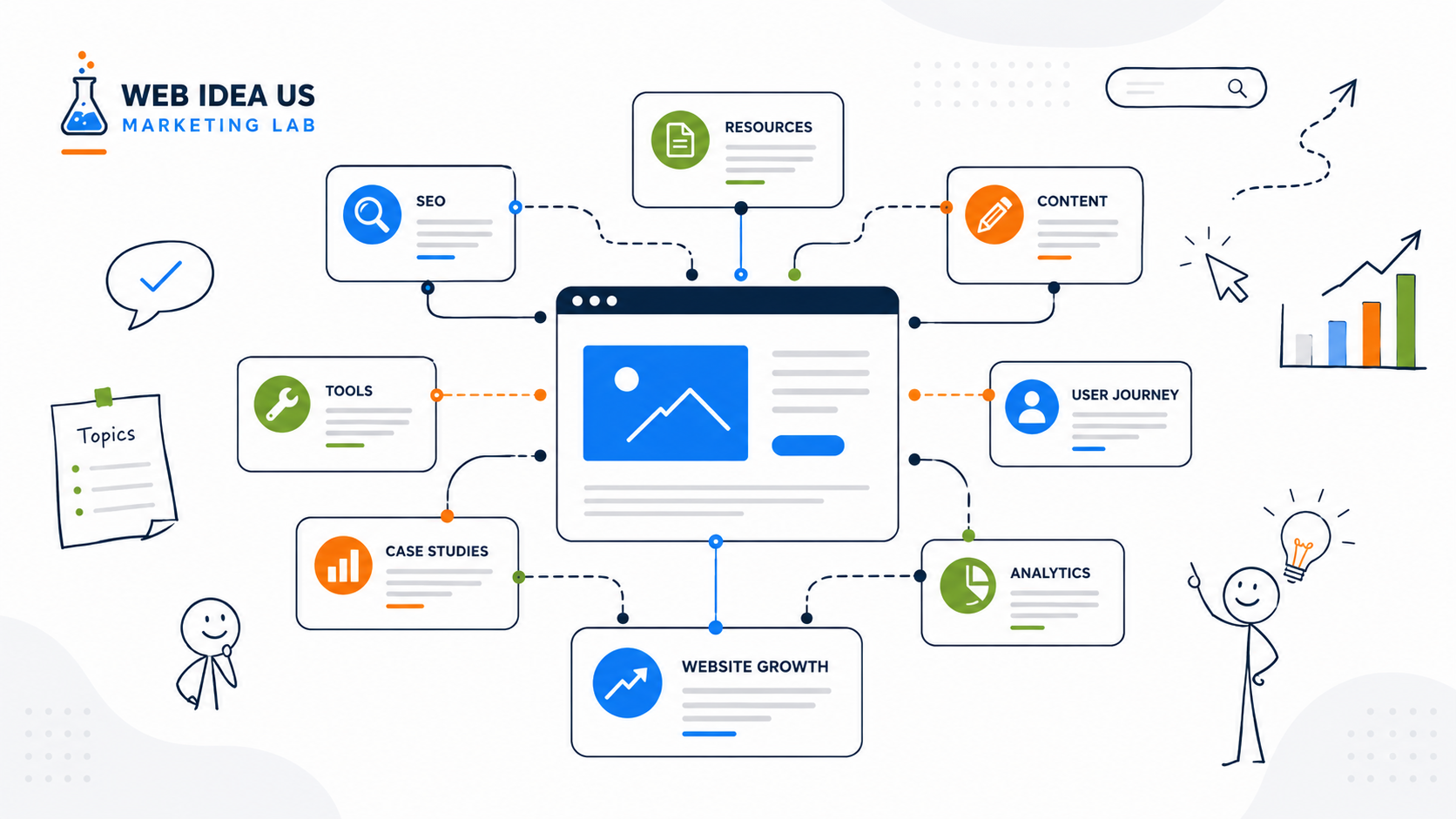
For a new website, internal linking is not just about adding links. It is about building the meaning structure of the site. It is how you show which topics belong together, which pages are foundational, which pages support other pages, and how a visitor should move from one idea to the next.
I like to think of internal linking as the nervous system of a website. Content is the body. Navigation is the skeleton. But internal links are what help information move through the site in a way that makes sense.
This matters even more for a new marketing website.
A new website usually does not have much authority yet. It may not have backlinks. It may not have years of performance history. It may not have hundreds of pages. But it can have structure. And structure is one of the few things we can control early.
Google’s own documentation explains that links help Google find pages and understand what pages are about, and that descriptive anchor text helps both users and search engines make sense of the destination page.
That is why internal linking should not be treated as a late-stage SEO cleanup task. It should be part of how the website is planned, launched, expanded, and improved.
What Is an Internal Linking Strategy?
An internal linking strategy is a plan for how pages on the same website connect to each other.
But a good internal linking strategy does more than connect URLs.
It helps answer questions like:
Which pages are most important?
Which articles support which topics?
Where should a reader go after reading this page?
Which pages explain the foundation, and which pages go deeper?
Which content should help move someone closer to a business decision?
Which pages should search engines and AI systems understand as related?
This is why internal linking is not just an SEO tactic. It is part of content architecture, user experience, and growth strategy.
A random internal link says, “Here is another page.”
A strategic internal link says, “This page continues the idea you are already exploring.”
That difference matters.
Why Internal Linking Matters More on a New Website
When a website is new, every page has to work harder.
There is less data. Less trust. Less topical depth. Fewer external signals. Search engines are still learning what the site is about. Users are still deciding whether the site feels useful. AI-driven discovery systems are also trying to interpret whether the content has a clear area of expertise.
This is where internal linking becomes important.
A new website needs to make its structure obvious.
If you publish ten good articles but they do not connect to each other, the site can still feel fragmented. Each article may be useful on its own, but the website as a whole may not yet communicate a clear topical direction.
That is a common mistake I see with early-stage websites.
The business creates content. The blog grows. Pages get published. But the structure does not grow with them. After a while, the site has content, but not architecture.
Internal linking helps prevent that.
It gives your content base a shape.
For example, if a new marketing website has articles about website launch analysis, traffic sources, SEO tools, tracking setup, and internal linking, those topics should not sit like isolated islands. They should support a larger idea: building a website that can actually attract, measure, and convert traffic.
That larger idea becomes easier to understand when the links are intentional.
Internal Links Help Search Engines Discover and Understand Pages
One of the most basic roles of internal linking is discovery.
Search engines use links to find pages. If an important page is buried, disconnected, or only accessible through a weak path, it becomes harder for that page to be discovered and evaluated in context.
Google’s link best practices specifically mention that crawlable links help Google find other pages on a site, and that good anchor text gives context about the linked page.
For a new website, this is practical.
You may publish a strong resource page, but if no other relevant page links to it, you are giving search engines fewer clues that the page matters.
Internal links can help show:
- which pages are central
- which pages are supporting
- which topics are related
- which pages should be revisited
- which content belongs inside the same cluster
This does not mean every page should link to every other page. That creates noise.
The goal is not maximum linking. The goal is meaningful linking.
Internal Linking Builds Semantic Architecture
This is the most important idea in this article.
Internal linking is semantic architecture.
That means links help define meaning between pages.
If one article explains why digital marketing analysis should happen before a website launch, and another article explains how to build an internal linking strategy for a new website, those two pieces are related. The first article explains the planning layer. The second article explains one structural SEO layer that should come from that planning.
A link between them is not just a technical connection.
It tells the reader: “These ideas belong together.”
It tells search engines: “These pages are part of the same strategic topic area.”
It tells future AI systems: “This website has a connected body of knowledge around website visibility, launch planning, SEO structure, and growth strategy.”
That is why I do not like internal linking done as an afterthought.
When internal links are added only because an SEO plugin says “add more internal links,” they often feel unnatural. They do not guide the reader. They do not clarify the topic. They just exist.
A semantic internal link should feel useful in the exact moment where it appears.
For example:
Weak link: “Read more here.”
Better link: “Before building internal links, it helps to understand why digital marketing analysis before website launch should shape the structure of the site.”
The second version gives context. It explains why the destination matters. It also uses descriptive anchor text naturally.
That is the difference between a link and a meaningful connection.
Internal Linking Is Also a User Journey Tool
SEO people often talk about internal links from the search engine side.
That matters. But I always start with the user journey.
When someone lands on a new website, they rarely understand the whole site immediately. They enter through one page. Maybe it is an article. Maybe it is a case study. Maybe it is a resource page.
From that first page, the website has to help them answer:
Where am I?
Is this useful?
What should I read next?
Does this person or brand understand my problem?
Is there a deeper framework here?
Can this help me make a decision?
Internal links guide that movement.
A strong internal linking strategy helps readers move from:
awareness → understanding → evaluation → action
For example, a business owner may start with an article about where website traffic comes from. From there, they may need a resource about internal linking. Then they may need a website growth strategy page. Later, they may need a checklist or consultation-style framework.
Internal links support that path.
Without them, the reader has to do the work alone.
And most readers will not.
The Difference Between Navigation Links and Contextual Links
Not all internal links do the same job.
A new website usually needs both navigation links and contextual links.
Navigation links are the links in the menu, footer, sidebar, category pages, breadcrumbs, and hub pages. They help users understand the main structure of the site.
Contextual links are links inside the body of a page or article. These are often more powerful from a meaning perspective because they appear inside a specific explanation.
For example, a menu link to Resources tells the user that a Resources section exists.
But a contextual link inside an article can explain why a specific resource matters at that exact moment.
Both are useful.
Navigation links create the site map for humans.
Contextual links create the meaning map.
For a new marketing website, I would not rely only on menus or category pages. Categories are useful, but they are broad. Contextual links are where the real editorial logic appears.
What a New Website Should Link First
A new website does not need a complicated internal linking system on day one.
In fact, trying to build a perfect internal linking structure too early can slow everything down.
What matters first is identifying the most important pages.
For a new marketing website, these usually include:
- homepage
- Start Here page or main entry hub
- core service or strategy page
- foundational articles
- important resource pages
- strong case studies
- high-intent conversion pages
- category hubs or topic hubs
The first internal linking priority should be to make sure these pages are not isolated.
If a page is important to the business, the website should act like it is important.
That means it should receive relevant internal links from pages where the connection makes sense.
This is especially important for pages that explain your core positioning. For Marketing Lab, that might include articles about digital marketing analysis, traffic strategy, website growth strategy, SEO tools, internal linking, and build-in-public observations.
These are not random articles. They are part of the site’s intellectual structure.
A Simple Internal Linking Framework for a New Website
https://webideaus.com/digital-marketing-resources/website-growth-strategy/When I build or review internal linking for a new website, I usually think in layers.
Layer 1: Core pages
These are the pages that explain the business, the offer, or the main project.
Examples:
- Homepage
- About page
- Start Here page
- Website Growth Strategy page
- Contact page
- Main Resources page
These pages should be easy to reach and should receive links from relevant supporting content.
Layer 2: Pillar and foundational content
These are the deep articles or resources that explain major concepts.
Examples:
- Digital Marketing Analysis Before Website Launch
- Where to Get Traffic for My Website
- Internal Linking Strategy for a New Website
- Free and Paid Tools for Digital Marketing Analysis
These pages help define what the site is about.
They should link to each other when the topics overlap, and they should also link to more specific supporting pages.
Layer 3: Supporting articles
These are narrower articles, experiments, case studies, or tool reviews.
They may answer more specific questions, such as:
- how to use Google Search Console after launch
- why a website got impressions but no clicks
- when to use paid traffic before SEO matures
- how to build service pages around search intent
These pages should link upward to foundational content and sideways to related content.
Layer 4: Decision-stage pages
These are pages where a reader can take action.
Examples:
- Website Growth Strategy page
- Contact page
- future consulting page
- future prompt library page
- future resource download page
Not every article needs to push hard toward action. But when the context is right, internal links should help users move from learning to next step.
This is where internal linking becomes part of conversion strategy, not just SEO.
Anchor Text: Small Words, Big Meaning
Anchor text is the clickable text of a link.
It may seem like a small detail, but it carries a lot of meaning.
Google recommends writing descriptive anchor text because it helps users and search engines understand the page being linked to.
This does not mean every internal link needs exact-match keyword anchor text. That can become unnatural quickly.
Good anchor text should be: clear, descriptive, natural, and relevant to the sentence.
For example:
Weak anchor text: “Click here”
Better anchor text: “website traffic strategy”
Even better in context: “If your site does not have a clear traffic plan yet, start with the article on where to get traffic for your website.”
The anchor text should help the reader understand what they will get after clicking.
That is the practical test.
If the anchor text does not describe the destination, it is probably weak.
Common Internal Linking Mistakes on New Websites
New websites often make the same internal linking mistakes.
The first mistake is waiting too long.
Many businesses publish content for months and only think about internal links later. By that point, the site may already have scattered content, duplicate topics, weak page hierarchy, and no clear topical hubs.
The second mistake is linking only for SEO.
When links are added mechanically, they often interrupt the article instead of improving it. The page starts to feel like it was optimized by checklist, not written for a real reader.
The third mistake is over-linking.
More links do not automatically mean better structure. Too many links can dilute attention and make the page feel messy. The reader should not feel like every sentence is trying to pull them somewhere else.
The fourth mistake is using vague anchors.
“Learn more,” “this article,” and “click here” are sometimes unavoidable, but they should not be the default. Descriptive anchor text is usually more useful.
The fifth mistake is linking only to recent content.
A good internal linking strategy should support important content, not just new content. Sometimes the best destination is an older foundational article that explains the concept better.
The sixth mistake is forgetting business pages.
Blogs often link to other blog posts but fail to connect educational content with business-relevant pages. If the reader is ready for a next step, the site should make that path visible.
Internal Linking and AI Discovery
Search is changing.
People still use traditional search engines, but they also discover information through AI systems, answer engines, summaries, and recommendation-style interfaces.
This makes semantic clarity even more important.
AI systems need to understand what a site is about, which entities and concepts are connected, and whether the content shows consistent expertise.
Internal linking can help support that clarity.
When a website has connected content around related topics, it becomes easier to understand the site as a knowledge system rather than a random collection of posts.
This does not mean internal links magically make a site visible in AI answers. That would be an overstatement.
But internal linking does help organize meaning. And meaning is becoming more important, not less.
For a marketing website, this means articles about SEO, traffic, analytics, website launch planning, internal linking, and growth strategy should not sit separately. They should reinforce each other.
That is how a site begins to feel like a structured knowledge base.
How I Would Build Internal Linking for a New Marketing Website
If I were building internal linking for a new marketing website from scratch, I would not start with a plugin report.
I would start with a map.
First, I would list the existing pages.
Then I would group them by topic:
- website launch and pre-launch analysis
- traffic acquisition
- SEO and internal structure
- analytics and tracking
- tools and workflow
- case studies and business mistakes
- resources and frameworks
Then I would identify the strongest page in each group.
That page becomes the temporary hub for that topic.
Next, I would review every article and ask:
What does this page naturally support?
What should the reader understand before this page?
What should the reader read after this page?
Which business page does this article logically connect to?
Where is the reader in the journey?
This creates better links than simply searching for keyword mentions.
For example, this article about internal linking should probably link to:
- a foundational article about digital marketing analysis before website launch
- an article about website traffic sources
- a resource page about digital marketing tools
- a website growth strategy page
- a future SEO audit checklist
- a future website launch checklist
Those links make sense because internal linking sits between planning, SEO, traffic, structure, and growth.
A Practical Example
Imagine a small service business launches a new website.
The site has:
- homepage
- about page
- contact page
- five service pages
- three blog articles
- one resources page
At first, everything looks fine. The menu works. The design is clean. The pages are published.
But structurally, the site is weak.
The service pages do not link to relevant blog articles. The blog articles do not link back to service pages. The resources page is disconnected. The homepage links only to broad sections. The contact page is reachable, but not meaningfully connected from educational content.
In this situation, the site has pages, but not a journey.
A better internal linking structure would connect:
- homepage to the most important service and strategy pages
- service pages to supporting educational articles
- educational articles to related service pages
- resources page to practical checklists and tools
- blog articles to each other by topic
- case studies to relevant strategy or service pages
Now the site becomes easier to understand.
A visitor can move from problem awareness to solution awareness. Search engines can see which pages matter. The business can guide attention without relying only on the main menu.
That is the real value of internal linking.
When to Build Internal Links on a New Website
Internal linking should happen in stages.
Before launch, you should define the basic structure.
This includes navigation, core pages, category logic, and important conversion paths.
During the first content phase, you should link lightly but intentionally.
Do not over-engineer every article. Make sure each new article connects to one or two relevant existing pages, especially foundational pages.
After you have around 10 to 15 meaningful pieces of content, you can do a stronger internal linking review.
This is where the structure becomes more interesting because you have enough content to create topic clusters, supporting paths, and stronger resource hubs.
Later, internal linking becomes part of ongoing optimization.
Every new article should create new link opportunities. Every strong older article should be reviewed occasionally to see whether it should point to newer, more relevant resources.
Internal linking is not a one-time task.
It is maintenance for the meaning of the site.
A Simple Internal Linking Checklist
For each new article or page, ask:
Does this page link to at least one relevant foundational page?
Does this page link to a next-step resource when appropriate?
Does a related older page link back to this new page?
Is the anchor text descriptive and natural?
Does the link help the reader at that exact moment?
Is the page connected to the broader topic cluster?
Does the link support the business journey without feeling forced?
If the answer is yes, the internal link is probably doing real work.
If the answer is no, the link may just be decoration.
Internal Linking Is Strategy, Not Decoration
The biggest mindset shift is this:
Internal linking is not something you sprinkle on top of finished content.
It is part of how the website thinks.
A strong internal linking strategy for a new website helps organize content, guide users, support SEO, clarify topical authority, and connect educational content to business goals.
It also protects the site from becoming a loose collection of pages.
This is especially important in the early stage, when the website is still forming its identity. Every article you publish helps define the site. Every link you add helps explain how those articles belong together.
That is why I do not see internal linking as “just SEO.”
I see it as architecture.
And on a new website, architecture is one of the strongest signals you can build before the site has authority, backlinks, or long-term data.
Final Takeaway
A new website does not need hundreds of internal links.
It needs meaningful connections.
The goal is not to add links everywhere. The goal is to help users, search engines, and AI systems understand the structure of your knowledge.
When internal linking is done well, the site becomes easier to crawl, easier to navigate, easier to understand, and easier to grow.
That is the difference between a website with content and a website with architecture.